

In this lesson, I will describe in detail how to draw a vector horse in Illustrator using the professional graphics tablet Wacom Intuos 5.
Any vector drawing begins with a sketch on paper or photo. For example, I’ll take two different photos of a horse and make a drawing in two different styles.
I will show how to depict the main contour of a horse with figured lines, and the second figure will be executed in a detailed style with all shadows and light.
This article presents two accelerated video recordings about drawing a horse. Also visible are the movements of hands on the tablet and keyboard shortcuts. The main ones are:
- Space – Hand
- CTRL + / CTRL- – Scaling
- SHIFT + M – cut the shape
- CTRL – switches to the selection tool.
- ALT when drawing – smoothing the line.
Part 1 – Linear drawing and coloring.
Secure the photo of the horse on a separate layer and block it. I painted with my own brush. In fact, this is a very thin oval, draw it and drag it to the brushes panel. Next, set the desired settings and start drawing.

In the beginning, the curly brush needs to circle the main edges of the horse. If you plan to paint it later, then follow the joints of the lines so that there are no large gaps.

The thickness of individual lines can be changed in the options bar. The main edges are best made more greasy, and the inner edges are thinner. If you want to better convey the shape of the horse, you can depict the thin lines of shadow and muscle. As in the picture below:
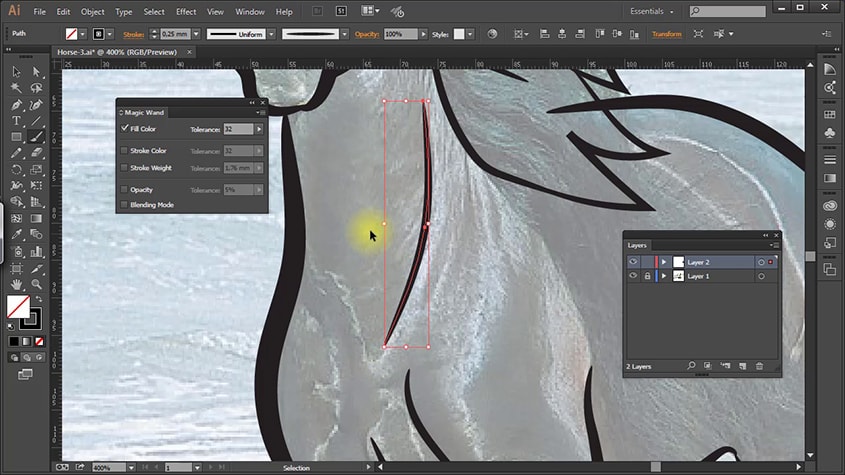
When the drawing is finished. Create a copy of the picture on a separate page. Select all lines and click – Object / Expand … OK. Lines turn into grouped objects.

For coloring, take the “Live Paint Bucket” tool. After filling all the voids with color, the drawing should be extracted again with the command – Object / Expand … and ungrouped.

VIDEO: How to draw a horse with curly lines.
Video is accelerated almost 10 times, but it’s not boring to look at and all the actions in drawing are clearly visible. More details about the combination of keys are written above.
Part 2 – Detailed drawing and coloring.
In the second part, I’ll talk about another style of drawing – a detailed drawing of a horse in a vector. For drawing, I will mainly use the tool “Pencil Tool” (Pencil).
The task is to circle all the color spots, simplifying their shape in the course of drawing. Be sure to short circuit. If you sell the image, then it should not be broken items.
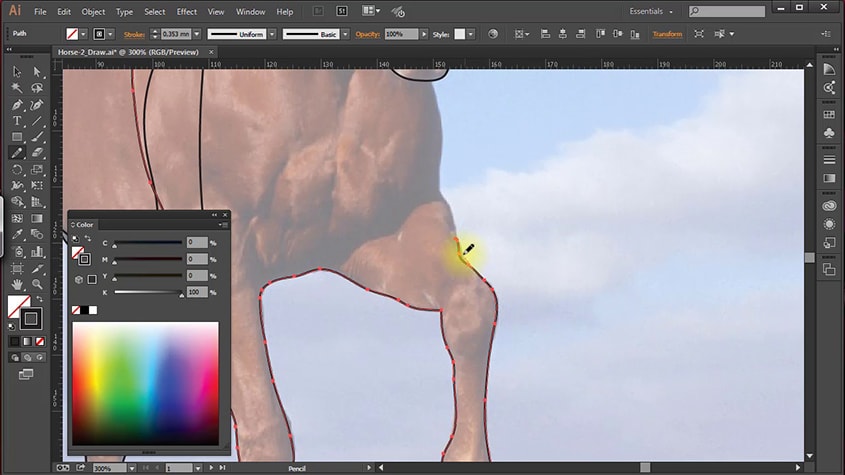
Draw from the details of the distant plan, gradually moving to the near future. Then, when painting, it will be easier to set the correct order of the elements.
To create shadows and glare along the edges of the image, a contour intersecting with the main one is drawn. All that is outside it is cut off by the “Shape Builder Tool” tool.

When the main contours are created, set the horse’s main contour to its color. Shadows and glare paint the same color, and then change it to a darker or more light.

VIDEO: Detailed drawing of a horse in Illustrator
Drawing such a horse from the picture took almost half an hour. Perhaps someone will take a whole day for such a drawing, but this is a matter of experience, the trained hand and eye with each subsequent drawing will cope all faster.
Of course, the tablet plays a significant role in the speed. Mouse make this much more difficult.
Leave feedback on the lesson in the comments to the article.